
My blog runs on EmDash, an open-source publishing platform. I love it, but there was one thing I kept running into. Writing in a web admin page on a phone is, let's be honest, not fun.
There was no EmDash app to reach for. So I built one.
Dashing is a native app for iPhone and iPad that connects to your EmDash site. It's the first app made for EmDash.
Why I built it
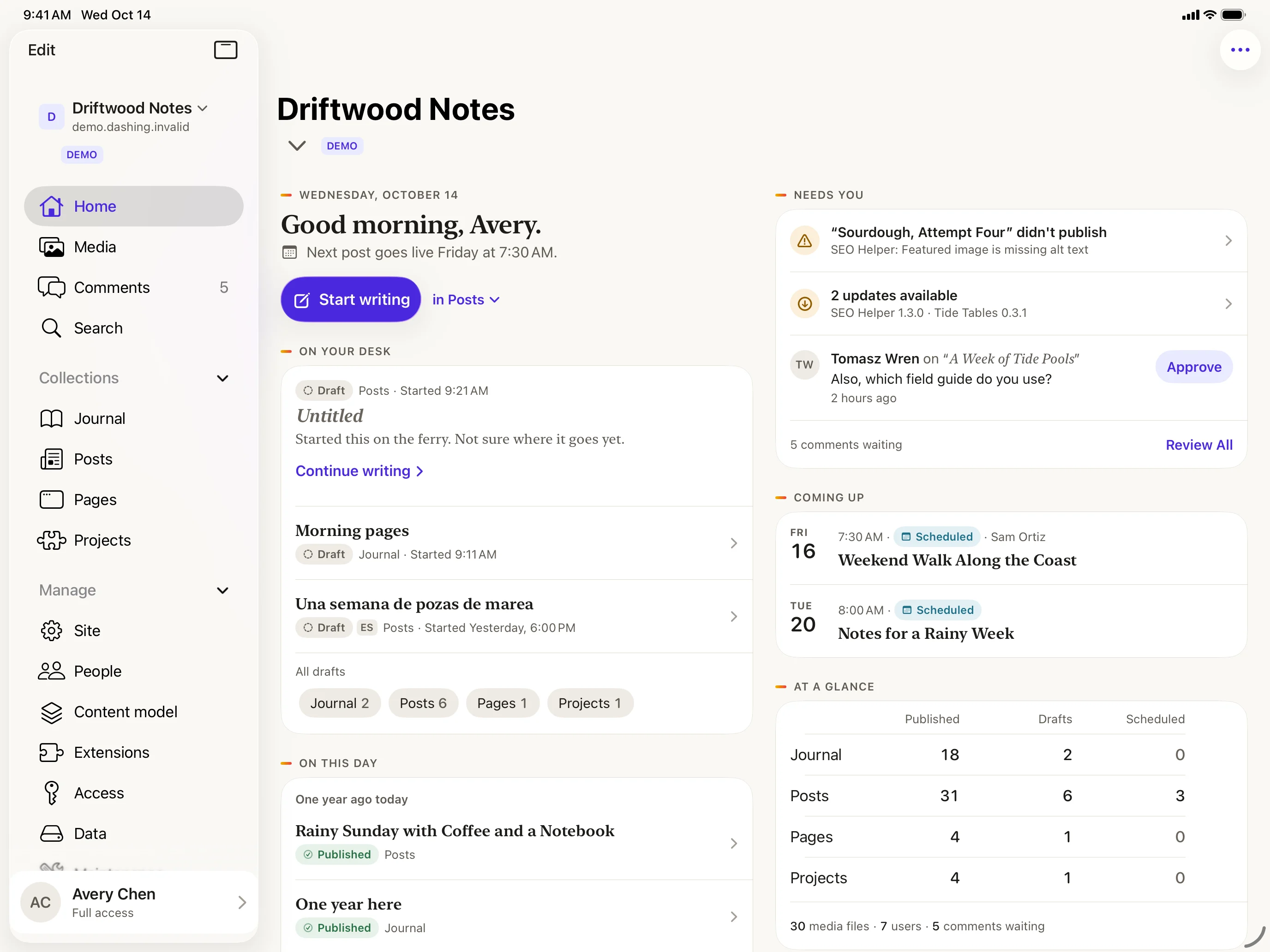
I wanted something that feels like a notebook, not a control panel. When you open Dashing, you see your day: the drafts still sitting on your desk, what's scheduled to go live, comments waiting for you, and a little "On this day" look back at what you wrote before. One tap on Start writing and you're in.
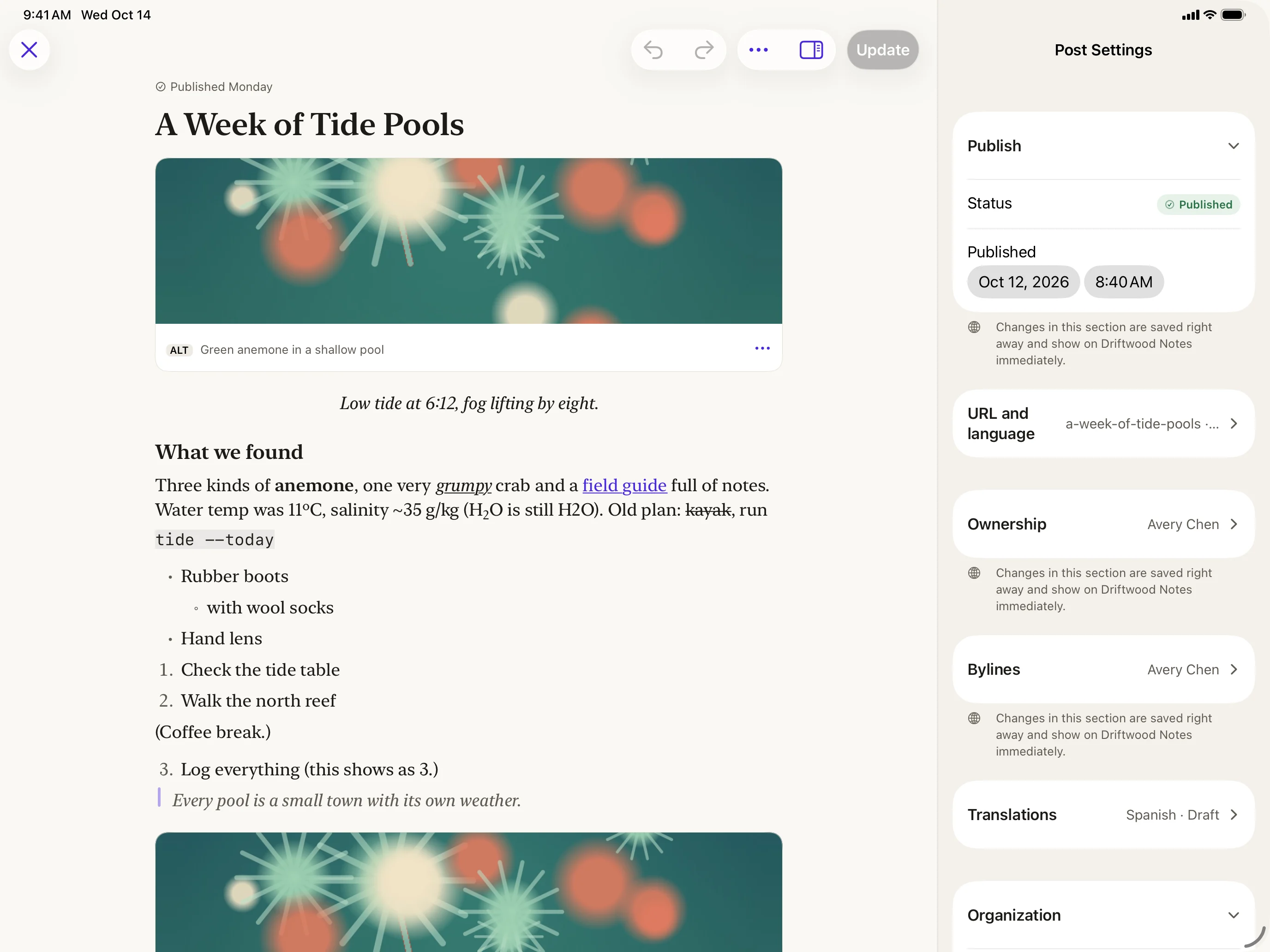
The editor is built for writing. Headings, lists, quotes, images, galleries, code and tables are all there, but they stay out of your way until you need them. Your words are saved on your device as you type, so a dropped connection or a dead battery never costs you a paragraph. If you're offline, Dashing holds your changes and sends them when you're back.
What else it does
- Publish, schedule or update posts, with a clear preview of what will happen before you hit the button.
- Upload photos and files straight from your library, the camera or the Files app.
- Approve, reply to and tidy up comments.
- Manage the rest of your site: categories and tags, menus, redirects, people and settings.
- On iPad, you get a sidebar, keyboard shortcuts, a real menu bar and multiple windows, so it works like a proper writing desk.
On devices with Apple Intelligence, Dashing can also nudge you along: a few writing ideas each day, an outline when you're staring at a blank page, and suggested tags or a summary when you're ready to publish. It all runs on your device, nothing is sent anywhere, and you can switch it off in Settings.
Private by design
Dashing doesn't track you and doesn't collect your data. It talks to your site and nothing else.
Try it without a site
Not on EmDash yet? Dashing has a built-in demo with a sample blog, so you can poke around, write a post and see how it feels. The demo even works in airplane mode.
When can you get it?
Its available now in the AppStore
Writing should feel easy, wherever you are. That's the whole idea.